跳至主要内容

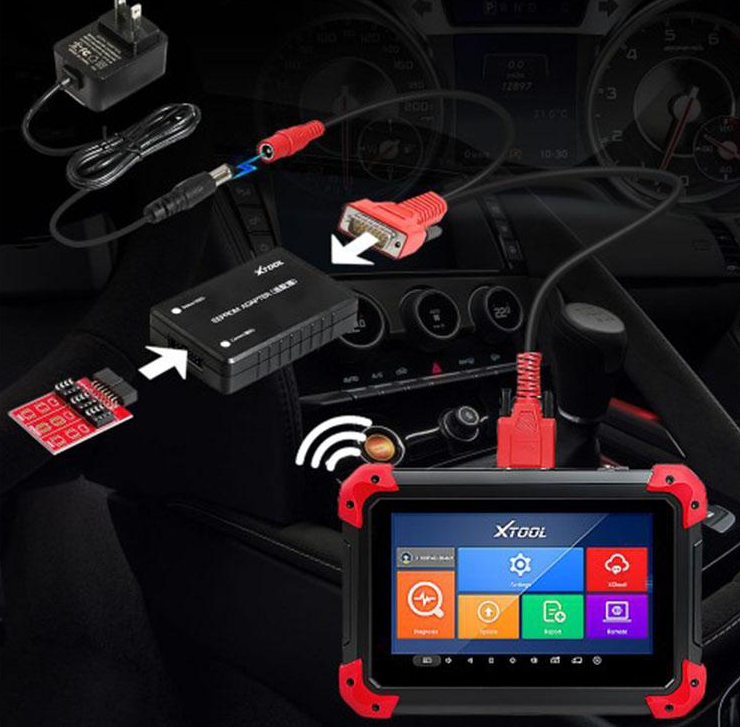
Xtool X100 Pad2 For Nissan Juke Key Programming

Nissan Juke 2012 key programming:
I use XTOOL X100 Pad2, choose 4 digits then read BCM to get new pin. (Also Xtool Pad2 can add Smart key for Nissan Juke 2013 2014. )

So just follow instruction and done. Also, Nissan and almost other brands need the good PCF7936 (I’ve some Chinese PCF7936 not work for Nissan, only for PSA cars)
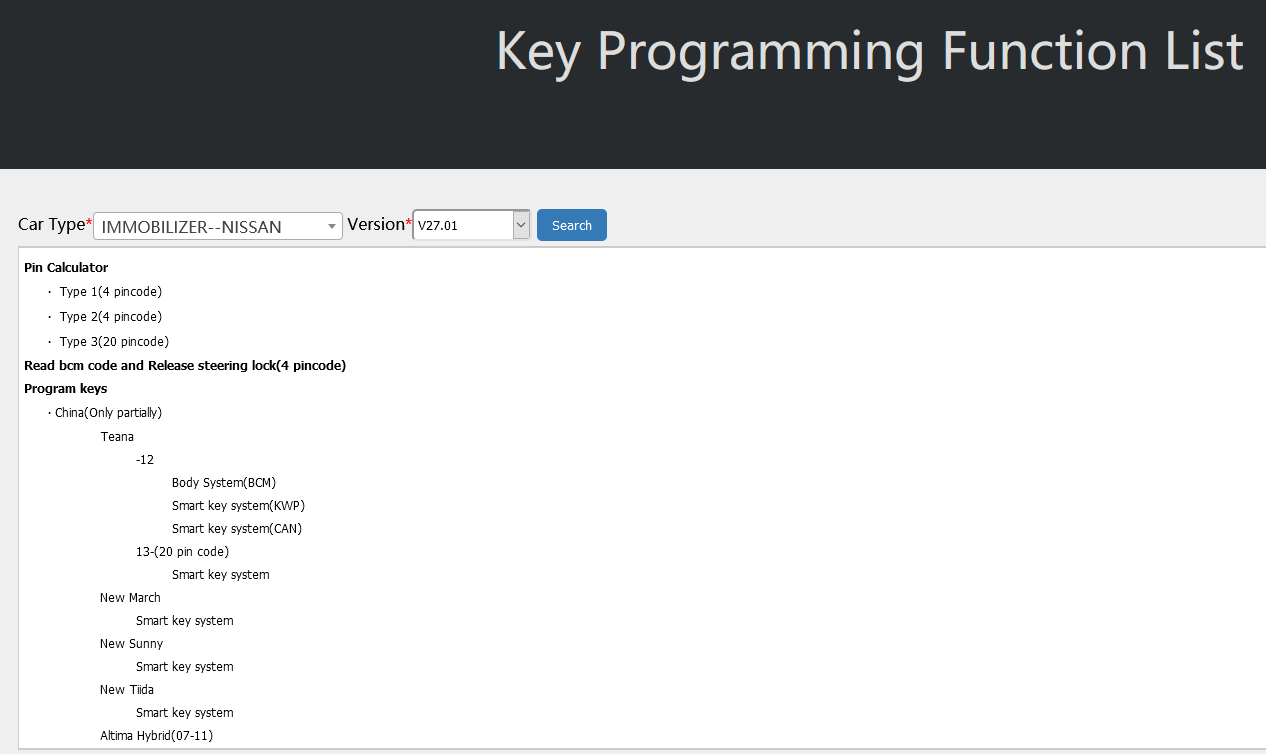
The above test report is from some customers, so what more Juke car models are covered? This is tested by Xtool manufacturer:

Juke:
Program remote 2010-
Smart key system 2010-

Source: http://www.xtooltech.com/EN/KPFnList.html

The above official link includes all the Nissan testable models of Xtool X100 Pad2, I add more Nissan test reports below:
Read pin code for a Mexican Nissan Xtail: okay
Read pin code and program key for a Nissan Altima: okay
Read NISSAN MARCH BCM code success: okay
Read pin code and add key for Nissan Titan 2013: okay
Add Nissan Murano 2009 smart key: okay
Add Nissan Juke 2013 smart key: okay
add Nissan Armada 2007 remote key: okay
add 2004 Nissan Sentra key okay
……
评论

此博客中的热门博文

How OBDSTAR X300 DP Plus Program 2016 Toyota Smart Key with NO.3 Simulated Card

  This post will present a process how  OBDSTAR X300 DP PLUS program 2016 Toyota smart key with simulated card. Car model: 2016 Toyota Tools in this process: 1.  OBDSTAR X300 DP Plus 2.  P001 Programmer 3.  NO.3 Simulated card Note: both P001 and simulated card are contains in the OBDSTSR X300 DP Plus package After connected them together, choose TOYOTA/SCION/LEXUS in IMMOBILISER. Choose “smart key system”->”type 5 (All smart keys lost)” Read EEPROM NOTE: 1. This function can read (backup) vehicle EEPROM data 2. after read (backup) of vehicle EEPROM data, the simulated card is generated with this data 3. using simulated card attach start button to illuminate instrument and instead of original car key to [Add Smart Keys] Save the file, and you could rename it in this step Appear a guide: the vehicle EEPROM data backup was successful. Please execute the [Make Simulated Card] function As the guide saying, choose “make simulated card’ Choose...

Autel MaxiSys Elite and Mercedes SCN Coding

I purchased the  Autel Maxisys Elite almost a year ago. I decided to buy it from an Autel representative based on his customer service skills and YouTube videos. I am based in the USA and the Autel rep is outside the USA. I paid a bit more for the tool because the direct human to human customer service is something I value a lot and it is something nearly extinct nowadays. Total price was $3600 USD and it was equipped with an additional cable for BMW programming and the nifty camera too. The Autel marketing practices do very little to bring clarity to the details of what the tool can and can not do. When it comes to programming various modules found in our vehicles, the details are lacking. It can program BMW and Mercedes Benz from the tablet, but it can not program GM modules because the software to program GM runs on Windows, not Android. However, you can use the Autel J-Box for your VCI and connect it to a Windows based PC using a USB cable and log on to the GM w...

Ford VCM II firmware update or downgrade

It’s confirmed that  Ford VCM II Firmware Update And Downgrade is possible, Operation steps guide here (This guide applies to all vcmii tools) Procedure: Remove the rubber case shown below. Connect the USB cable to the VCM2 device and hold the (ReSet) button shown as below. Connect the other end of the USB to a computer with IDS V86 installed, and then release the ReSet button until you hear a beep sound. Run Bosch\VCI Software(Ford-VCM-II)\VCI Manger(Ford-VCM-II). When you see the following image, it means you enter the recovery mode. After clicking on the “Recover” button, the program will switch to the VCMII Update interface. Click on “Start Update” to start the firmware update, and the following image will appear “Do not unplug the VCM II from the PC or remove power from the VCM II during the update process.” After clicking on “OK”, the following image will appear to start writing the new version of firmware. When the upgrade completed, the following pro...